
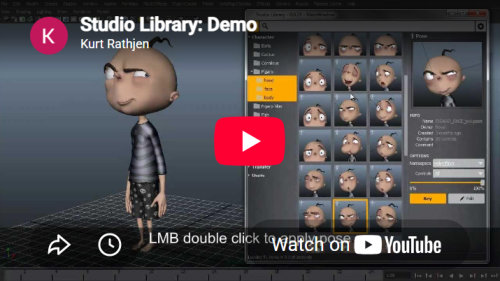
Studio Library Pro interface showing an animation library with the Malcolm character
* Studio Library Pro · Malcolm character courtesy of AnimSchool

Features

Save, organise, and reuse poses, animation, and other production assets in Maya.

Pose & Animation Library

Save and organise poses and animation, then quickly reuse them across characters and Maya scenes.

Mirror Tools

Mirror poses and animation from one side of a character to the other, saving time and keeping movement consistent.

Folders

Arrange your poses and animation into familiar folders, whether you are building a personal library or following a team structure.

Libraries

Keep each show in its own library, then switch between libraries without mixing content or losing your place.

Built for production

Easy to install, pipeline friendly, and scales from individual artists to larger studios.

Tags

Pro

Add tags in bulk or as you create assets. Give each tag its own colour and icon so important content is easy to recognise.

Filters

Pro

Find the right pose or animation by filtering by date, frame range, file size, author, and more, all at once.

Multi Playblast

Pro

Generate playblasts from multiple cameras in one go. Give each view its own settings and adjust the layout even after saving.

Asset Versions

Pro

Automatically create a new version whenever you update a pose or animation, then easily browse and search its history.

Media Review

Pro

Scrub through multiple animations in sync with a frame-locked timeline, then launch side-by-side comparisons directly in Studio Library.

Batch Poses

Pro

Save and update many poses at once, or turn Time Slider bookmarks into poses with a click.

Tabs

Pro

Open multiple library views in tabs and move between them. When you return, everything is where you left it.

Unlock every Pro feature and get the latest updates.

Upgrade to Pro